
|
Age Is? |
|
This is our lastest app for helping keep track of birthdays and ages. While Facebook and Contacts have some of the info, not everyone you care about has a presence. I have quite a number of children and grandchildren and frequently find myself being quizzed about their age (or birthday or grade level). For most people the answers to those questions might be a breeze, but for me I need a little cheat to help out. When someone asks the dreaded "how old is she?" question I no longer have to hem and haw and try to change the subject, instead I open "Age Is?" and say well as a matter of fact she is .... With this app I can easily keep track of all the special birthdays in our large family. We have views by age, by birthday, by family and by grade. For extra measure, the app will even notifiy you on their birthday (and in advance if you choose) so you can be sure to not miss that special day. So, if you happen to be one of the people who are forgetful like me, or someone who would just like another reminder this app might just do the trick for you! |
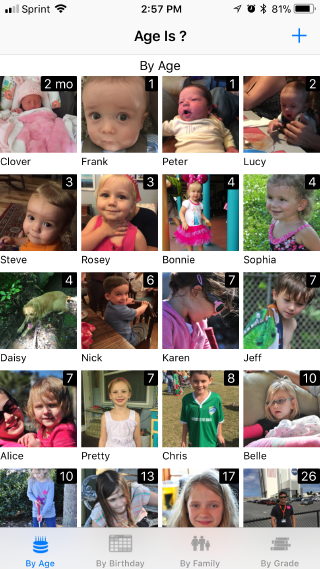 |
| This is the normal opening view, which shows everyone "By Age" from youngest to oldest. If it happens that someone is having a birthday within the next 7 days, the app will display "By Birthday" view instead (shown below) to help remind of the upcoming event. |
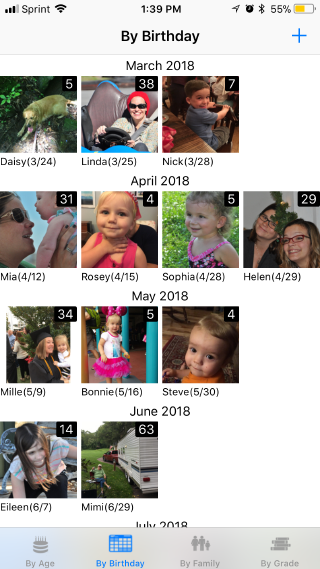 |
| The "By Birthday" view is ordered with birthdays throughout the year. The age show on this view is the age they will become on that next birthday. |
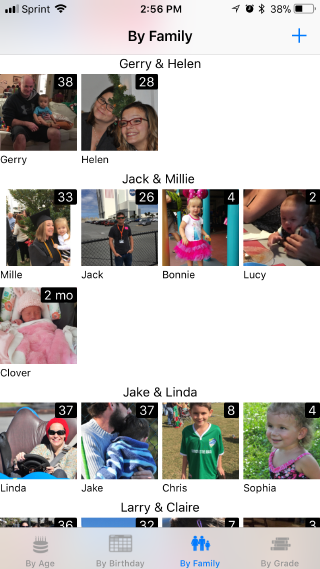 |
| Sometimes it is helpful to take a family view of birthdays, which is offered here. |
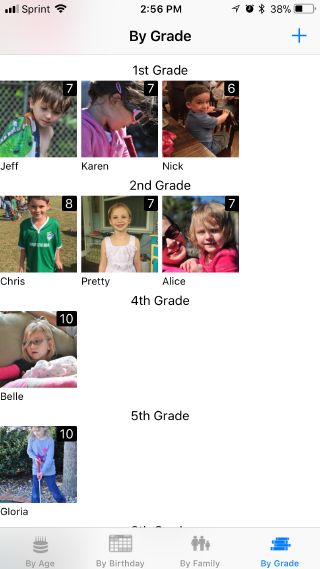 |
| Grade level seems to be a favorite topic for some people when discussing their grandchildren. Since I have more than a handfull and they always seem to change, we offer a "By Grade" view to help "jog my memory". |
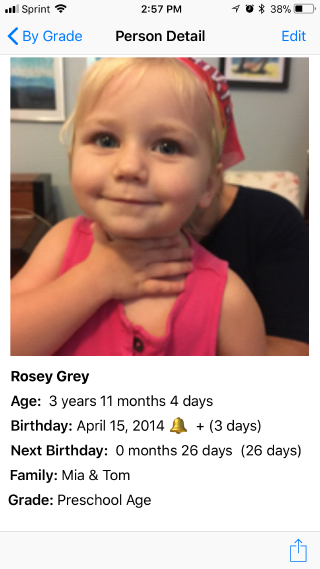 |
| If you want more details about one person's brthday, just tap on their photo and you will see this detail view. Here we show age down to days, and how long until the next birthday. Also show if the the notfication feature is enabled for that person. If you see an alarm bell symbol you know there will be a notification on that birthday, the "(+ 3 Days)" on this example shows I will also be notified 3 days bfore her birthday. If you want to change something, then tap the Edit button in the upper right corner and you will be taken to the Edit view. |
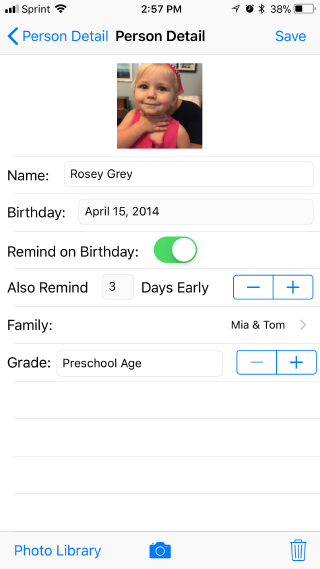 |
| In the Edit view you can change any information about that person. Changing the photo is simple as selecting either the Camera or Photo Library options and selecting a new photo. Tapping the trash can will delete the person's entry completely. Remember to Save any changes you make. |
| |
| To add a new person all you need to do is tap the "+" (Add) sign at the top right of each of the main views. |
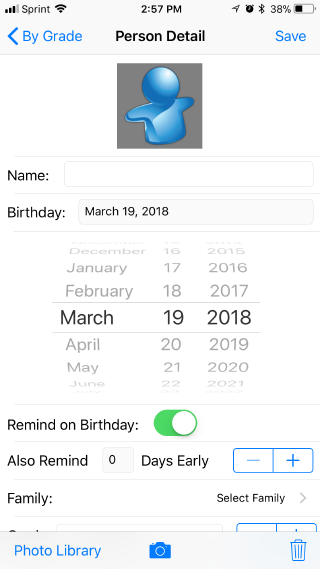 |
| Adding a new person is very simple, all you need to do is enter a name and birthday, everything else is optional. |
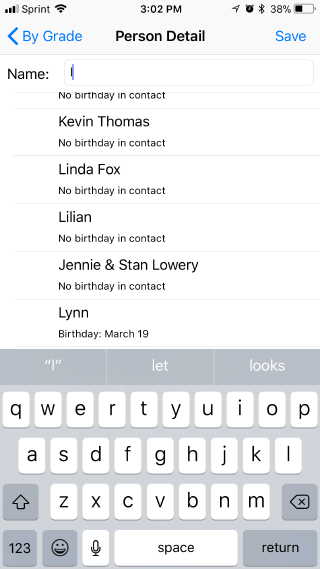 |
| When entering a name, the app will search your contact list (if you allow it) to find matching names that can be imported directly into the app wthout typing. |
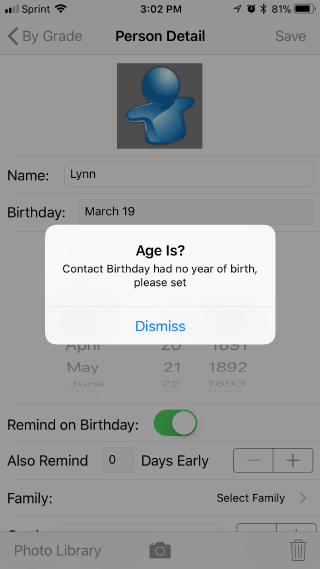 |
| Sometimes Contacts have a person's brthday but not their birth year. If you don't know their birth year it's OK, just we set it to 1890 and use question marks to show we do not know their age. |
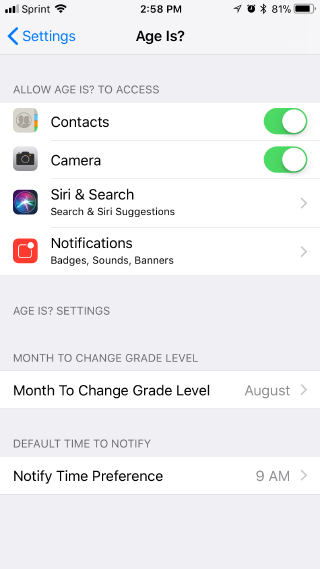 |
| The settings for Age Is? include permission to access your Contacts (so we can import contact data for you without typing), your Camera (so we include photos of each person, Notfications (so we can send you a reminder of a person's birthday). Addtionally we allow you to set the month that grade levels are changed and allow you to pick a time of day you want us to send your Notifications about special birthdays. |